 Skip to content
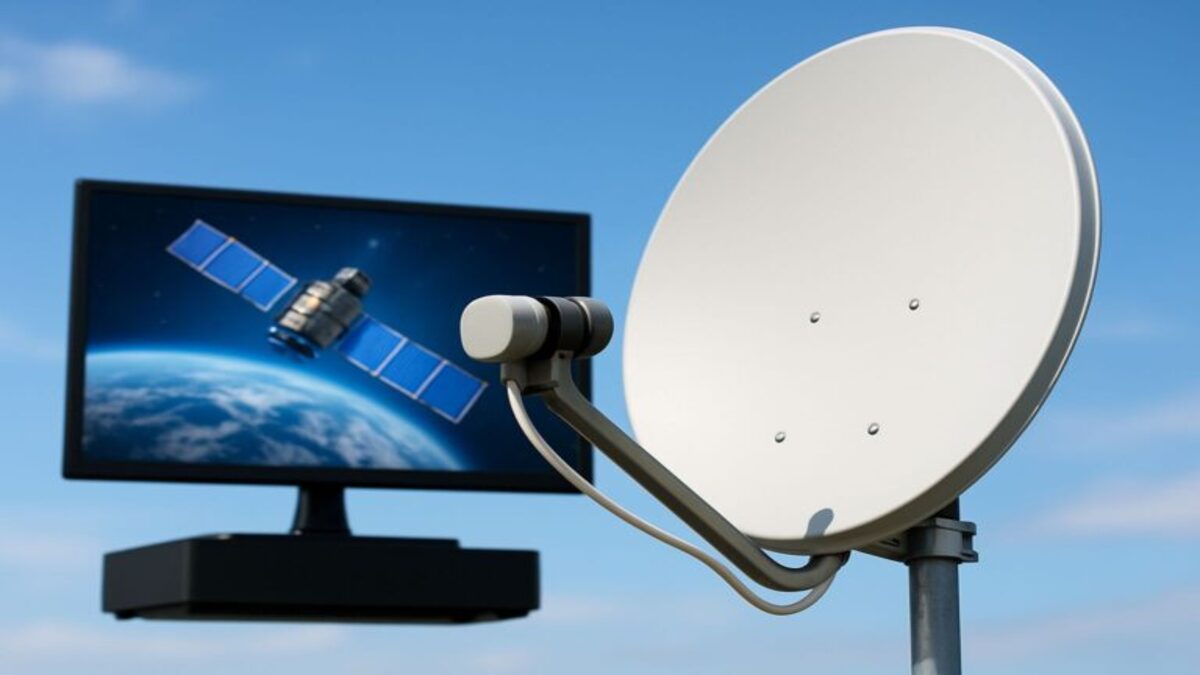
The DISH Wally is a compact HD satellite television receiver designed for use with compatible DISH satellite antennas. It is particularly useful for RVs, motorhomes, campers, cabins, and other locations where a traditional whole-home DVR system may be unnecessary.
The Wally receives satellite television programming, connects to a television, and provides access to channels included in an eligible DISH subscription.
It can also support optional DVR recording with a compatible external hard drive, although additional equipment and activation requirements apply.
What Is a DISH Wally Receiver?
The DISH Wally is a standalone satellite television receiver used to decode DISH programming and display it on a connected television.
Unlike DISH’s Hopper systems, which are designed for more extensive home DVR and multi-room configurations, the Wally emphasizes compact size and simpler television setups.
It is commonly paired with portable satellite antennas for recreational vehicles and outdoor television applications.
However, the Wally is not limited exclusively to RV use. It can also be used in other compatible residential or seasonal installations.
What Does a DISH Wally Receiver Do?
The Wally performs several functions within a satellite television system.
- Receives compatible DISH satellite television signals.
- Decodes subscribed television programming.
- Displays HD channels on a connected television.
- Provides an electronic program guide.
- Supports parental controls.
- Offers selected internet-connected applications when properly equipped.
- Supports optional DVR recording with compatible external storage.
The Wally requires an eligible DISH programming subscription and compatible satellite equipment to receive traditional satellite television channels.
Is the DISH Wally Designed for RVs?
Yes. The Wally is commonly used with DISH Outdoors satellite television systems.
Its compact design makes it suitable for RV entertainment cabinets and other locations where space is limited.
Compatible portable antennas can be positioned outside the RV to receive satellite signals.
Some portable antennas automatically locate the required satellites after being connected and positioned appropriately.
However, the system still needs a clear view of the required satellites, and the RV must have suitable electrical power for the receiver and television.
For a broader explanation of RV satellite television, read How Does DISH TV Work in an RV?
Which Satellite Antennas Work with the DISH Wally?
The Wally is compatible with several DISH-supported portable satellite antennas.
Examples include:
- DISH Playmaker: An automatic portable satellite antenna designed for compatible DISH receivers.
- DISH Tailgater: A portable antenna family with compatible models for RV and outdoor use.
- Winegard Pathway X2: An automatic portable antenna that supports compatible DISH receiver models.
- Other approved DISH antennas: Certain rooftop and stationary systems may also be compatible.
Compatibility depends on the specific antenna model, receiver configuration, and current satellite requirements.
Do not assume that every satellite antenna works with the Wally simply because it is advertised for RV use.
For current equipment specifications, see DISH Outdoors equipment support.
Does the DISH Wally Need Internet?
No. The Wally does not require an internet connection to receive traditional DISH satellite television channels.
Satellite programming is delivered through a compatible antenna rather than through campground Wi-Fi or cellular data.
However, some additional features and applications require internet access.
These may include supported on-demand services, internet-connected applications, and certain account or equipment functions.
DISH states that the Wally requires a compatible Wi-Fi adapter to connect wirelessly to a network.
Before purchasing accessories, confirm the current adapter requirements for your receiver.
Does the DISH Wally Have a Built-In DVR?
No. The standard DISH Wally does not include built-in DVR recording storage.
However, customers can add DVR functionality using a compatible external hard drive and the applicable DISH activation service.
This allows the Wally to record supported television programming without requiring a Hopper DVR.
The external hard drive must meet DISH’s technical requirements.
What External Hard Drive Does the Wally Need?
According to DISH’s published equipment requirements, a Wally-compatible external hard drive must:
- Have at least 500 GB of storage.
- Have no more than 4 TB of storage.
- Use a compatible USB connection.
- Contain a single disk drive.
- Meet DISH’s applicable formatting and equipment requirements.
Flash memory devices are not supported as substitutes for compatible external hard drives under DISH’s published requirements.
Connecting an external hard drive may require formatting, which can erase existing data.
Do not connect a drive containing important files without first reviewing DISH’s setup instructions.
For official specifications, visit DISH External Hard Drive Support.
Does DISH Charge to Activate Wally DVR Features?
Yes. DISH currently lists a $40 one-time activation fee for enabling DVR functionality on an eligible non-DVR receiver such as the Wally.
The customer must also provide a compatible external hard drive.
After connecting the drive, follow DISH’s instructions to activate the DVR service and format the storage device.
Fees and equipment requirements may change, so confirm the current terms before purchasing a drive or requesting activation.
How Many Shows Can a DISH Wally Record at Once?
DISH identifies the Wally as having two tuners, but its published Wally DVR guidance specifies recording one program at a time with a dedicated external hard drive.
Customers should not assume that the Wally provides the same simultaneous recording capabilities as a Hopper DVR.
Recording and viewing flexibility can also depend on the satellite antenna and equipment configuration.
For households that regularly record multiple overlapping programs, a more advanced DVR system may be more suitable.
Does the DISH Wally Support DISH Anywhere?
The Wally and DISH Anywhere serve different purposes.
The Wally is a satellite television receiver, while DISH Anywhere is an internet-based streaming platform for eligible DISH subscribers.
A Wally receiver does not provide the same full remote live-TV and DVR streaming capabilities as a compatible Sling-enabled Hopper.
However, eligible DISH subscribers may still access selected DISH Anywhere content through supported internet-connected devices, depending on their account and programming rights.
For more information, read What Is DISH Anywhere and How Does It Work?
DISH Wally vs Hopper: What’s the Difference?
The Wally and Hopper are both DISH satellite television receivers, but they are designed for different viewing needs.
The Wally emphasizes compact size, portability, and straightforward satellite television access. Hopper systems provide more extensive DVR and multi-room entertainment capabilities.
DISH Wally
- Compact receiver suitable for RVs, cabins, and secondary locations.
- Receives HD satellite television programming.
- Works with selected portable and rooftop satellite antennas.
- Does not include built-in DVR recording storage.
- Supports optional DVR recording with compatible external storage.
- Does not provide the same full remote streaming features as a Sling-enabled Hopper.
DISH Hopper
- Designed primarily for more extensive residential television setups.
- Offers integrated DVR capabilities on supported models.
- Supports more advanced recording and multi-room viewing configurations.
- Compatible Sling-enabled models provide remote viewing through DISH Anywhere.
- May require additional equipment and higher monthly receiver charges.
For RVers who primarily want to watch satellite television at one location, the Wally may be sufficient.
Households that need extensive DVR recording, multiple television connections, and remote access to recordings may prefer a compatible Hopper system.
Can You Use a DISH Wally Receiver at Home?
Yes. Although the Wally is commonly associated with DISH Outdoors, it can also be used in compatible residential satellite television installations.
It may be suitable for a cabin, vacation property, or another location where a simpler receiver is preferred.
However, using a Wally at a different address or adding it to an existing DISH account may involve account eligibility, equipment activation, and programming requirements.
Before moving a receiver between locations, confirm the applicable service terms with DISH.
Can You Use a Wally Receiver in a Cabin or Vacation Home?
Yes, provided the location qualifies for DISH service and the equipment is compatible with the satellite installation.
The Wally may be useful for seasonal properties where a full whole-home DVR system is unnecessary.
However, satellite reception requires an appropriate view of the required satellites.
Dense trees, nearby buildings, and other obstructions may prevent reliable service.
Customers should also confirm whether their selected subscription supports the intended location and seasonal usage.
How Do You Set Up a DISH Wally Receiver?
Setup depends on the satellite antenna, receiver configuration, and whether the equipment is being used in an RV or a stationary location.
A typical compatible portable setup involves the following steps:
- Position the antenna: Place the compatible portable satellite antenna in a safe location with a clear view of the required satellites.
- Connect the coaxial cable: Follow the antenna manufacturer’s instructions for connecting the antenna to the Wally receiver.
- Connect the television: Use a compatible HDMI cable to connect the Wally to the television.
- Connect electrical power: Power the receiver and television using the appropriate equipment.
- Select the television input: Choose the HDMI input connected to the Wally.
- Follow the on-screen instructions: Allow the receiver and compatible automatic antenna to complete their setup procedures.
- Activate programming: Confirm that the receiver is authorized for an eligible DISH subscription.
- Test reception: Verify that subscribed channels display correctly.
Some antenna systems require additional configuration or professional installation.
Do not assume that every antenna and receiver combination uses the same setup procedure.
What Accessories Might You Need for a Wally Receiver?
The accessories required depend on the equipment bundle and installation.
Common items include:
- A compatible DISH satellite antenna.
- Appropriate coaxial cabling.
- An HDMI cable.
- A compatible remote control.
- A suitable electrical power connection.
- An optional external hard drive for DVR recording.
- An optional compatible Wi-Fi adapter for supported internet features.
- Other accessories specified by the antenna or receiver manufacturer.
Before purchasing equipment, review the contents of the specific bundle.
Some accessories may be included, while others must be purchased separately.
Can You Use the DISH Wally with Two Televisions?
The Wally is primarily intended to serve a single television connection.
Although external video distribution equipment may allow the same output to appear on multiple screens, that does not necessarily provide independent channel selection.
If two televisions need to display different programs simultaneously, additional compatible receivers or a different DISH equipment configuration may be required.
Confirm the available options with DISH before purchasing a second receiver or satellite antenna.
Does the Wally Support HD and 4K Television?
The DISH Wally supports high-definition satellite television programming.
However, it is not a 4K satellite television receiver.
Customers who want supported 4K programming should review the capabilities of other compatible DISH receiver systems.
Keep in mind that 4K availability also depends on the channel, programming rights, and television equipment.
Does the Wally Work in Bad Weather?
The Wally depends on the satellite signal received by the connected antenna.
Heavy rain, snow, ice, and severe storms may temporarily weaken satellite reception.
The receiver itself cannot eliminate weather-related signal loss.
Proper antenna placement, compatible equipment, and a clear satellite signal path are important for reliable reception.
For additional guidance, read Does DISH TV Work in Bad Weather?
Why Is My DISH Wally Not Receiving a Signal?
Signal problems can result from several causes.
- The antenna does not have a clear satellite signal path.
- The antenna and receiver are not compatible or properly configured.
- The coaxial connection is loose or damaged.
- The antenna has not completed its automatic satellite search.
- Severe weather is weakening reception.
- The receiver has an activation or account authorization issue.
If the Wally displays a signal loss message, follow the official troubleshooting instructions for the receiver and antenna.
Do not attempt rooftop antenna adjustments or unsafe equipment repairs.
If problems continue, contact DISH Customer Support or the appropriate equipment manufacturer.
How Much Does a DISH Wally Receiver Cost?
The cost of a Wally receiver depends on the seller, equipment bundle, and current DISH Outdoors offers.
Customers may purchase compatible receiver equipment separately or as part of an eligible antenna bundle.
Additional costs may include:
- The satellite antenna.
- Receiver accessories.
- Programming subscription charges.
- Optional external DVR storage.
- Applicable DVR activation fees.
- Professional installation, when required.
Existing DISH subscribers may qualify for different receiver and programming arrangements than customers establishing standalone DISH Outdoors service.
Before purchasing, compare the complete equipment and service costs rather than the receiver price alone.
Is the DISH Wally Receiver Worth It?
The Wally may be a practical choice for customers who want a compact satellite television receiver without the complexity of a full Hopper system.
It is particularly useful for:
- RV and motorhome owners.
- Seasonal campers.
- Cabin and vacation property owners.
- Customers using compatible portable satellite antennas.
- Viewers who need basic HD satellite television service.
However, customers who require extensive DVR recording, multiple independent television connections, or advanced remote streaming features may prefer another receiver configuration.
The right choice depends on the intended location, programming needs, equipment compatibility, and total cost.
Frequently Asked Questions
What Is a DISH Wally Receiver?
The Wally is a compact HD satellite television receiver used with compatible DISH antennas and eligible programming subscriptions. It is commonly used in RVs, campers, cabins, and other simpler television installations.
Does the DISH Wally Need Internet?
No. Traditional satellite television programming does not require internet access. However, certain optional applications and connected features require a suitable internet connection.
Does the DISH Wally Have a DVR?
The Wally does not include built-in DVR recording storage. Optional DVR functionality requires compatible external storage and applicable activation.
How Much Is the Wally DVR Activation Fee?
DISH currently lists a $40 one-time activation fee for enabling eligible Wally DVR functionality. Confirm current pricing before activation.
Can You Use Any External Hard Drive with a Wally?
No. DISH specifies technical requirements for compatible external hard drives, including storage capacity and drive configuration.
Can a Wally Record Two Shows at Once?
DISH’s published Wally DVR guidance specifies recording one program at a time with compatible external storage. Do not assume that the Wally provides Hopper-style simultaneous recording capabilities.
Can You Use a Wally in an RV?
Yes. The Wally is commonly used with compatible portable and rooftop DISH satellite antennas in recreational vehicles.
Does the Wally Work with DISH Tailgater?
Yes, with compatible Tailgater antenna models. Confirm the exact antenna and receiver compatibility before purchasing.
Does the Wally Support DISH Anywhere?
The Wally does not provide the same full remote live-TV and DVR streaming capabilities as a compatible Sling-enabled Hopper. However, eligible subscribers may access selected DISH Anywhere content through supported devices.
Can You Use a Wally at Home and in an RV?
Possibly. Equipment compatibility, receiver authorization, account terms, and service-location requirements must be confirmed with DISH before moving equipment between locations.
Does the Wally Support 4K?
No. The Wally is an HD receiver and does not provide 4K satellite television output.
Final Answer: What Is a DISH Wally Receiver?
The DISH Wally is a compact HD satellite television receiver designed for straightforward television setups, particularly in RVs, campers, cabins, and seasonal properties.
It works with compatible satellite antennas and provides access to programming included in an eligible DISH subscription.
Optional DVR recording is available through compatible external storage and activation, but the Wally does not offer the same advanced recording and remote streaming capabilities as a Hopper system.
Before purchasing, confirm antenna compatibility, receiver accessories, programming requirements, and the total equipment cost.
If you’re exploring DISH TV service or need assistance with a qualifying professional installation, contact Spacelink Installs.
Spacelink Installs provides professional installation for Viasat, Starlink, Amazon Leo, and DISH TV in select service areas. All service and installation availability is subject to address qualification.