 Skip to content
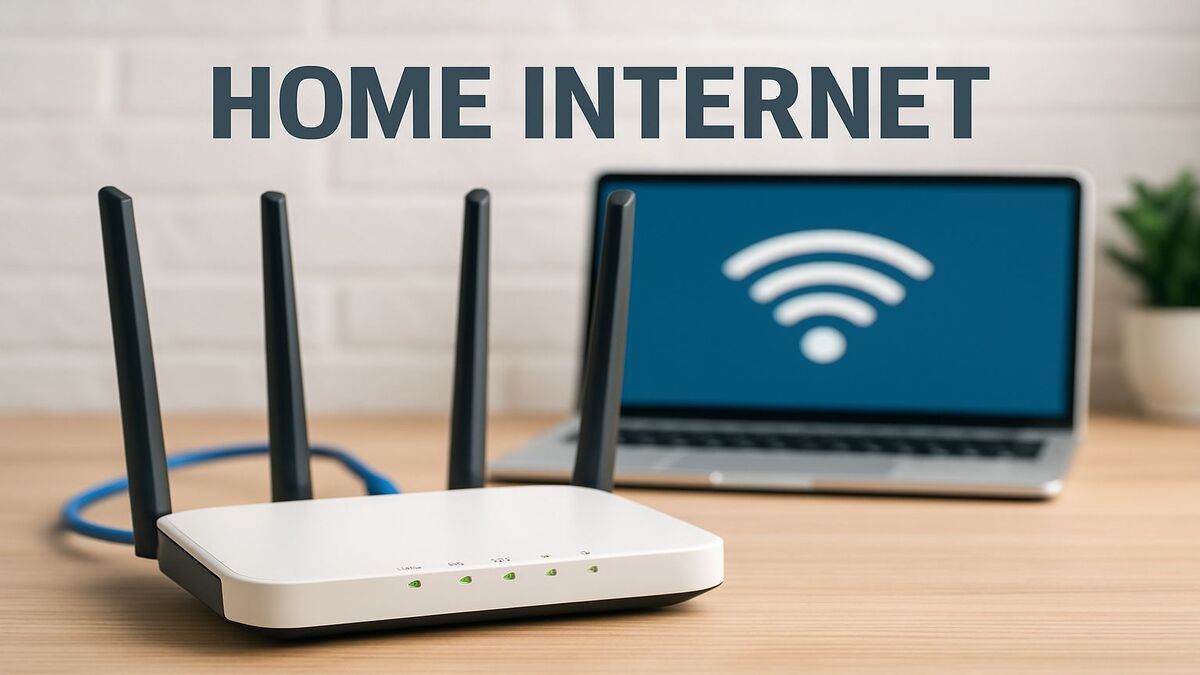
T-Mobile Home Internet: What to Know Before You Choose
- T-Mobile Home Internet uses T-Mobile’s cellular network to provide fixed wireless internet without requiring a traditional cable or fiber connection to the home.
- Availability is address-specific. Having T-Mobile mobile service at a property does not automatically mean Home Internet is available there.
- Performance can vary by location and network conditions. Signal quality, local capacity, congestion, gateway placement, equipment, and other factors can affect the connection.
- Setup is generally designed around a provider-supplied gateway that connects to T-Mobile’s network and provides Wi-Fi inside the home.
- Plans, pricing, equipment, promotions, speed ranges, discounts, and service terms can change. Check the current offer for your exact address before ordering.
T-Mobile Home Internet gives eligible households another way to get broadband without relying on a traditional cable or fiber connection to the property.
The service uses T-Mobile’s wireless network to connect a gateway at the home. That gateway then distributes the internet connection to phones, computers, televisions, tablets, and other compatible devices.
For some households, particularly where wired broadband choices are limited, fixed wireless can provide a useful alternative. The key question is whether T-Mobile has sufficient coverage and capacity to offer Home Internet at your specific address.
What Is T-Mobile Home Internet?
T-Mobile Home Internet is a fixed wireless access service.
Instead of sending internet traffic over a cable or fiber line running directly into the home, T-Mobile uses its cellular network to communicate with compatible gateway equipment at the service address.
The gateway performs two important functions: it connects to T-Mobile’s network and provides local network connectivity for devices inside the home.
This makes T-Mobile Home Internet fundamentally different from cable, fiber, and DSL even though customers ultimately use the connection for many of the same everyday activities.
How T-Mobile Home Internet Works
A compatible gateway receives the available T-Mobile network connection at the property and then distributes that connection locally.
Phones, computers, televisions, streaming devices, tablets, gaming systems, smart-home equipment, and other compatible devices can then connect through the local network.
The internet connection and the home’s Wi-Fi should be considered separately. T-Mobile can provide a good connection to the gateway while devices in distant parts of a large home still experience poor Wi-Fi coverage.
T-Mobile Home Internet Availability Is Address-Specific
One of the most important things to understand about fixed wireless is that mobile coverage and Home Internet eligibility are not the same thing.
A phone may receive a strong T-Mobile signal at a property while T-Mobile Home Internet is unavailable for that address.
Providers can consider network coverage, available capacity, expected performance, equipment, and other factors when determining whether fixed home internet can be offered at a particular location.
Nearby homes can sometimes receive different eligibility results.
How to Check T-Mobile Home Internet Availability
The most reliable way to determine current availability is to check the complete service address through T-Mobile’s current Home Internet availability process.
Do not rely only on a general mobile coverage map, ZIP code, or a neighbor’s eligibility.
Check T-Mobile Home Internet Availability
If T-Mobile Home Internet is unavailable, other options may include another fixed-wireless service, cellular internet, satellite internet, cable, fiber, DSL, or a regional provider.
T-Mobile Home Internet Plans
T-Mobile offers Home Internet plans with features, equipment, pricing, discounts, and performance expectations that can change over time.
Rather than relying on a permanent page containing today’s plan names or promotional prices, customers should compare the current plans actually offered for their address.
When comparing T-Mobile Home Internet plans, check:
- current monthly price
- available discounts and eligibility requirements
- expected or typical download performance
- expected upload performance
- latency information
- gateway equipment
- Wi-Fi capabilities
- network-management policies
- current promotional terms
- cancellation and equipment-return requirements
How Fast Is T-Mobile Home Internet?
There is no single speed every T-Mobile Home Internet customer should expect.
Performance can depend on:
- service address
- available network technology
- signal conditions
- local network capacity
- congestion
- time of day
- gateway placement
- equipment
- Wi-Fi conditions inside the home
- the service plan
T-Mobile publishes current performance information and Broadband Consumer Labels for its available services. Those current disclosures are more useful than an older speed figure embedded permanently in an article.
Gateway Placement Matters
Because T-Mobile Home Internet uses a wireless connection to the provider network, gateway placement can affect the connection.
Different parts of a home can experience different cellular signal conditions because of exterior walls, building materials, windows, distance, terrain, and other factors.
Customers may need to evaluate several appropriate gateway locations to determine where the equipment receives a suitable connection while still supporting the local network.
T-Mobile Home Internet and Wi-Fi Are Not the Same Thing
The T-Mobile connection brings internet to the gateway. Wi-Fi then distributes that connection around the home.
A customer can therefore have a strong fixed-wireless internet connection but still experience weak Wi-Fi in a distant bedroom, upstairs office, garage, or another part of the property.
If performance is good close to the gateway but poor elsewhere, the local network may be the issue rather than T-Mobile’s connection.
Whole-Home Wi-Fi With T-Mobile Home Internet
Larger homes, multiple floors, difficult building materials, long floor plans, and numerous connected devices can require more networking capability than one gateway can provide throughout the entire property.
Depending on the home and equipment, potential solutions can include better gateway placement, whole-home Wi-Fi, mesh Wi-Fi, access points, wired networking, or another network design.
Can You Use eero With T-Mobile Home Internet?
Customers may be able to use compatible additional networking equipment with their T-Mobile gateway depending on the gateway, network configuration, and equipment being added.
An eero system can be useful in some homes where additional Wi-Fi coverage is needed, but equipment compatibility and network configuration should be evaluated for the particular installation.
Can T-Mobile Home Internet Work in Rural Areas?
Yes, T-Mobile Home Internet is available at some rural and small-town addresses.
Whether it works for a particular rural property depends on T-Mobile’s available network coverage and capacity at that location.
Terrain, vegetation, distance from network infrastructure, building construction, available network technology, and other conditions can also affect the experience.
If T-Mobile Home Internet is unavailable or does not perform adequately, other rural options can include satellite internet, regional fixed wireless, other cellular connectivity, DSL, fiber, cable, or cooperative broadband where available.
Explore Rural Internet Options
T-Mobile Home Internet vs. Cable
T-Mobile Home Internet and cable use different infrastructure.
Cable generally uses a wired coaxial connection to the property, while T-Mobile uses a wireless connection between its cellular network and the customer’s gateway.
Either service can be appropriate depending on the address.
Compare the actual plans based on current price, expected performance, upload capability, latency, equipment, data policies, Wi-Fi requirements, and service terms rather than assuming one technology always wins.
T-Mobile Home Internet vs. Fiber
Fiber has technical advantages in many applications, particularly where high upload performance, very low latency, symmetrical speeds, or extremely high capacity are important.
T-Mobile Home Internet can still be attractive where fiber is unavailable, expensive, or where the customer prefers the simplicity of a fixed-wireless connection.
The meaningful comparison is between the services actually available at the property.
T-Mobile Home Internet vs. Satellite Internet
Both technologies can provide alternatives to traditional wired broadband, but they use fundamentally different networks.
T-Mobile Home Internet depends on terrestrial cellular infrastructure serving the property. Satellite internet communicates with satellites and can reach many locations beyond useful cellular coverage.
Where a strong T-Mobile fixed-wireless connection is available, it can offer lower latency than traditional geostationary satellite service.
Where cellular service is inadequate, satellite internet may provide connectivity that terrestrial wireless networks cannot.
T-Mobile Home Internet vs. Other Cellular Internet
T-Mobile Home Internet is a fixed service designed around an eligible home service address.
Other cellular internet products can serve different applications, including mobile connectivity, backup internet, temporary locations, travel, and multi-carrier connectivity.
Spacelink’s broader cellular resources cover these additional applications and technologies.
Can T-Mobile Home Internet Be Used for Streaming?
A suitable T-Mobile Home Internet connection can support streaming services when sufficient bandwidth and connection stability are available.
The number of simultaneous streams, video resolution, other household activity, network conditions, and local Wi-Fi performance can all affect the experience.
Can T-Mobile Home Internet Be Used for Gaming?
Yes, many online games can work over fixed wireless, but gaming performance depends heavily on latency, jitter, packet loss, and consistency rather than download speed alone.
Because cellular networks are shared and conditions can change, performance may vary by location and time.
Competitive gamers who have access to strong fiber or cable service may prefer the consistency of a wired connection, while T-Mobile Home Internet may be a significant improvement for customers coming from slower or higher-latency alternatives.
Can You Work From Home With T-Mobile Home Internet?
Many remote-work activities can operate over an appropriate T-Mobile Home Internet connection, including email, web applications, cloud software, file sharing, and video conferencing.
Customers who depend heavily on large uploads, specialized VPNs, remote desktop systems, continuous video conferencing, or other demanding applications should evaluate actual local performance carefully.
Can T-Mobile Home Internet Provide Backup Internet?
Fixed wireless can potentially provide another connectivity path for a home or business that already has a primary internet connection.
Whether T-Mobile Home Internet is appropriate for that purpose depends on service eligibility, current terms, equipment, network conditions, and the customer’s requirements.
A second connection cannot guarantee uninterrupted internet access because power failures, regional outages, equipment issues, or other events can affect multiple services.
Can a Cell Signal Booster Improve T-Mobile Home Internet?
Customers should not assume that adding a cell signal booster will automatically improve fixed-wireless home internet.
Compatibility depends on the gateway, frequencies, equipment, signal environment, provider network, and current product specifications.
A booster also cannot add network capacity or solve congestion.
Signal-improvement equipment should be evaluated for the specific application before being added to a fixed-wireless system.
Professional Wi-Fi and Network Help
T-Mobile’s internet connection and the property’s Wi-Fi network solve different parts of the connectivity problem.
Spacelink can help customers evaluate supported Wi-Fi and networking solutions when the gateway provides adequate internet but coverage around the property needs improvement.
Professional network installation is available within our local service area and may also be available in other U.S. markets through qualified fulfillment resources.
Learn About Professional Wi-Fi & Network Installation
Check Current T-Mobile Terms Before Ordering
T-Mobile Home Internet plans, prices, discounts, gateway equipment, performance disclosures, promotions, network-management policies, trial offers, and other service terms can change.
For that reason, customers should review T-Mobile’s current offer and Broadband Consumer Label for the exact service available at their address before ordering.
Visit the Official T-Mobile Home Internet Website
Frequently Asked Questions
What is T-Mobile Home Internet?
T-Mobile Home Internet is a fixed wireless service that uses T-Mobile’s cellular network to provide internet connectivity to compatible gateway equipment at an eligible home service address.
Does having T-Mobile phone service mean I can get Home Internet?
No. Mobile coverage and Home Internet eligibility are different. T-Mobile can consider local network capacity and other conditions when determining whether Home Internet is available at a particular address.
How fast is T-Mobile Home Internet?
Performance varies by location, plan, network conditions, signal quality, capacity, congestion, gateway placement, and other factors. Review T-Mobile’s current performance disclosures for the service available at your address.
Does T-Mobile Home Internet have unlimited data?
Data terms depend on the current plan. Customers should review the current T-Mobile plan information and Broadband Consumer Label rather than relying on older descriptions of its service.
Does T-Mobile Home Internet require a contract?
Contract and cancellation terms should be confirmed for the current plan being offered. T-Mobile’s Home Internet terms can change over time.
Can T-Mobile Home Internet work in rural areas?
Yes, at qualifying rural addresses where T-Mobile has suitable coverage and network capacity. Availability should be checked for the complete service address.
Do I need a technician to install T-Mobile Home Internet?
T-Mobile Home Internet is generally designed around customer setup using provider-supplied gateway equipment. Current setup procedures and any available installation options should be confirmed when ordering.
Can I use additional Wi-Fi equipment?
Potentially. Compatibility depends on the T-Mobile gateway and the additional networking equipment and configuration. Larger homes may benefit from mesh Wi-Fi, access points, or other networking improvements.
Can I move T-Mobile Home Internet to another address?
Standard fixed home internet service is associated with an approved service location. Customers who move should confirm eligibility at the new address and follow T-Mobile’s current relocation procedures rather than assuming the service can simply be moved.
Is T-Mobile Home Internet better than satellite internet?
Not universally. A strong fixed-wireless connection can provide lower latency than traditional geostationary satellite service, while satellite internet can reach many properties beyond useful terrestrial cellular coverage. The better fit depends on the services available at the address.
Can Spacelink help me compare T-Mobile Home Internet with other options?
Yes. Spacelink can help customers explore supported internet options based on their location and connectivity requirements.
Need Help Finding Internet for Your Property?
Tell us where you need service, what internet options you currently have, and how you use the connection.
Spacelink can help you compare available technologies and determine whether T-Mobile Home Internet, another cellular solution, satellite internet, or another supported service may fit the property.