 Skip to content
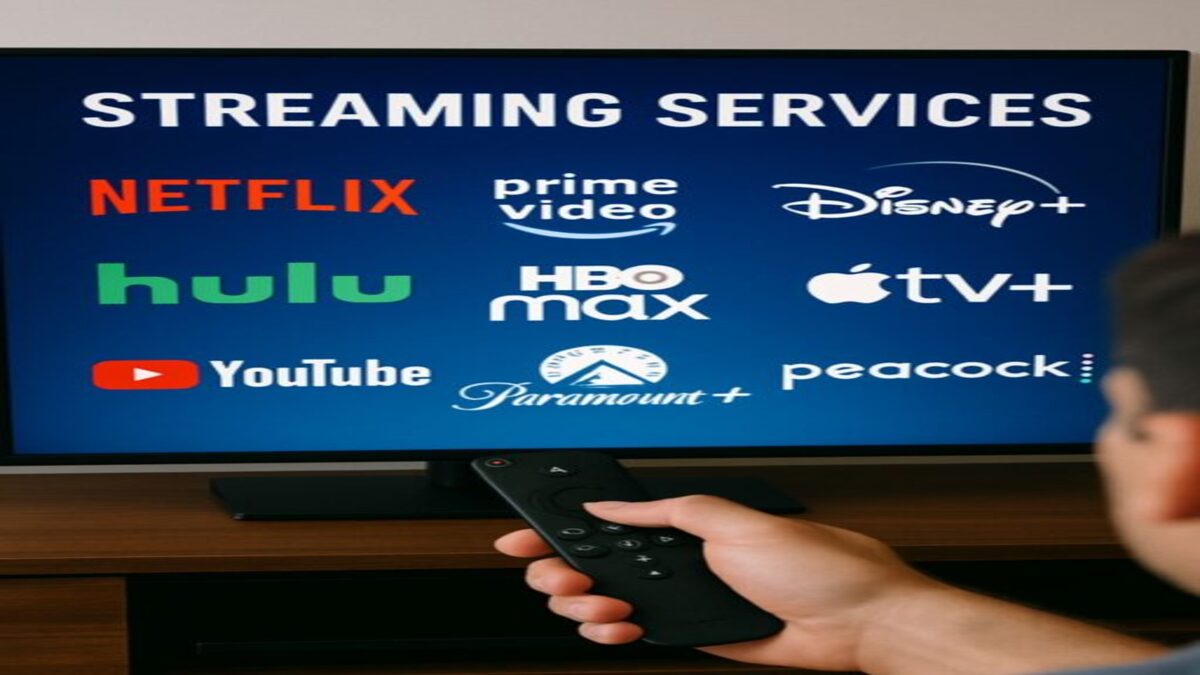
DISH Anywhere is a streaming service included with qualifying DISH TV subscriptions that lets customers watch supported live television, on-demand programming, and compatible DVR recordings on internet-connected devices.
Depending on your DISH receiver and account, you may be able to watch television away from home, manage DVR recordings, and download certain recorded programs for offline viewing.
However, not every feature works with every receiver or device, and some programming is subject to streaming restrictions.
What Is DISH Anywhere?
DISH Anywhere is DISH’s television streaming platform for eligible subscribers.
It allows customers to access supported programming on compatible smartphones, tablets, computers, and selected television streaming devices.
Unlike a separate streaming television subscription, DISH Anywhere is connected to your existing DISH account and programming entitlements.
Available content may include:
- Selected live television channels.
- Live satellite channels streamed from compatible home receivers.
- Recorded programs stored on eligible Hopper DVR systems.
- On-demand movies and television shows.
- Supported DVR scheduling and management features.
- Eligible recordings transferred for offline viewing.
The features available to you depend on your receiver, subscription, device, and applicable programming rights.
How Does DISH Anywhere Work?
DISH Anywhere uses an internet connection to deliver supported television programming to your device.
There are two important ways the service can provide content.
Streaming from Your Home Hopper DVR
With a compatible internet-connected Hopper receiver, DISH Anywhere can access supported live satellite channels and recordings associated with your home television equipment.
The receiver acts as the source of the programming, and the internet connection carries the video to your remote device.
For this type of streaming, both the home receiver and the device you are watching on need suitable internet connectivity.
Your home’s upload performance and your remote device’s download performance can affect streaming quality.
Streaming Supported Channels Directly Over the Internet
DISH Anywhere also offers selected live channels through internet-delivered streams rather than through your home receiver.
This can provide access to certain programming even when your receiver does not support full remote live-TV streaming.
However, the available channels depend on your DISH subscription and the streaming rights associated with each network.
For more information, see DISH’s official live streaming channel instructions.
Is DISH Anywhere Free?
DISH Anywhere is included with qualifying DISH television subscriptions without a separate recurring charge for the streaming platform itself.
However, that does not mean every program or feature is available at no additional cost.
Potential expenses include:
- Your regular DISH television subscription.
- Applicable receiver and DVR equipment charges.
- Internet service or mobile data charges.
- Optional premium programming.
- Paid on-demand rentals or purchases.
Confirm the features included with your account before ordering equipment or additional services.
Do You Need a Hopper DVR for DISH Anywhere?
You do not necessarily need a Hopper DVR to access every DISH Anywhere feature.
However, a compatible Hopper is important if you want to stream your home satellite channels and DVR recordings remotely.
Hopper 3
Hopper 3 supports remote access to eligible live and recorded programming through DISH Anywhere when properly connected to the internet.
It also offers DVR recording and whole-home television features.
Hopper with Sling
Hopper with Sling also supports streaming eligible live and recorded programming through DISH Anywhere.
The receiver must be connected to the internet, and the viewing device must meet applicable compatibility requirements.
Hopper Duo and Other Receivers
Hopper Duo does not provide the same full remote live-TV streaming capability as Hopper with Sling or Hopper 3.
However, eligible customers may still be able to access selected internet-delivered channels and on-demand programming through DISH Anywhere.
Before upgrading your receiver specifically for DISH Anywhere, confirm which features your current equipment supports.
What Devices Support DISH Anywhere?
DISH Anywhere supports several categories of internet-connected devices.
These include:
- Compatible Apple iPhones and iPads.
- Compatible Android smartphones and tablets.
- Supported Amazon Fire TV and Fire tablet devices.
- Supported Android TV devices.
- Computers using compatible web browsers.
- Other supported television streaming devices identified by DISH.
Not every smart television, streaming device, operating system version, or web browser is supported.
Before installing the app, check the current requirements through DISH Anywhere Support.
How Do You Set Up DISH Anywhere?
Getting started generally involves signing in with your existing DISH account credentials.
- Confirm that you have an eligible DISH subscription.
- Visit DISHAnywhere.com on a supported computer or download the official app on a compatible device.
- Sign in using your DISH account credentials.
- Allow the app to load the programming available to your account.
- If you have a compatible Hopper, confirm that it is connected to the internet.
- Select a supported live channel, recording, or on-demand program.
- Follow any additional receiver authorization instructions displayed by the app.
If your account has multiple compatible receivers, you may need to select the receiver containing the recordings you want to watch.
DISH provides receiver selection instructions through its official support center.
Can You Watch Live TV with DISH Anywhere?
Yes. DISH Anywhere provides access to supported live television programming.
However, the available channels depend on your subscription, receiver capabilities, and the network’s streaming rights.
With compatible Sling-enabled Hopper equipment, eligible subscribers can remotely access supported live satellite programming from their home receiver.
Other customers may be able to watch selected live channels delivered directly over the internet.
Not every subscribed channel is necessarily available through every streaming method or device.
Can You Watch DVR Recordings with DISH Anywhere?
Yes. Customers with compatible Hopper DVR equipment can access eligible recorded programs through DISH Anywhere.
This can be useful when traveling, working away from home, or watching television on another supported device.
DISH also supports certain remote DVR management functions, including scheduling recordings.
However, DVR availability depends on receiver compatibility, internet connectivity, and applicable recording or playback restrictions.
For official instructions, visit DISH’s DVR recording guide.
Can You Download DISH Anywhere Shows to Watch Offline?
Yes. DISH Anywhere supports transferring certain DVR recordings to compatible mobile devices for offline viewing.
This feature is useful when traveling somewhere with limited internet access, such as an airplane, campground, or remote vacation destination.
However, offline transfers are subject to several requirements:
- You need compatible DISH receiver equipment.
- Your mobile device must support the transfer feature.
- The recording must be eligible for transfer.
- Transfers generally require connecting through your home network.
- Some programming may have download or playback restrictions.
Not every DVR recording can be transferred, and offline playback availability may depend on licensing restrictions.
Before traveling, complete any supported transfers and verify that the downloaded programs play correctly on your device.
How Fast Does Your Internet Need to Be for DISH Anywhere?
DISH Anywhere requires an internet connection for streaming.
The bandwidth needed depends on video quality, device capabilities, network congestion, and the number of active streams.
There is no single internet speed that guarantees uninterrupted playback in every situation.
For remote streaming from a compatible Hopper receiver, two connections matter:
- Home internet upload speed: The connection sending video from your Hopper to the internet.
- Remote download speed: The connection receiving the stream on your phone, tablet, computer, or streaming device.
If either connection is slow or unstable, playback may buffer, pause, or display reduced video quality.
Streaming channels delivered directly over the internet may have different technical requirements because they do not necessarily use your home Hopper as the video source.
Does DISH Anywhere Support 4K Streaming?
Streaming resolution depends on the content, application, device, and current DISH Anywhere capabilities.
Customers should not assume that every program is available in 4K simply because their television or streaming device supports that resolution.
Likewise, a universal maximum resolution should not be stated without confirming the current technical specifications for the relevant device.
For the most accurate information, review DISH Anywhere’s current device and playback requirements.
How Many Devices Can Watch DISH Anywhere at Once?
DISH Anywhere supports viewing on multiple compatible devices, but simultaneous streaming restrictions may apply.
The number of streams available can depend on:
- Your DISH account.
- The receiver model.
- Whether the programming comes from a home Hopper or an internet-delivered channel.
- The network’s streaming rights.
- Device and application restrictions.
Do not assume that every DISH account supports five simultaneous streams or that every channel can be watched on multiple devices at the same time.
If your household regularly watches television on several devices, confirm the current simultaneous-viewing limits before relying on DISH Anywhere as a multi-screen solution.
Can You Watch NFL and College Football with DISH Anywhere?
Yes. Eligible DISH Anywhere subscribers may be able to stream supported NFL and college football broadcasts.
However, sports streaming rights can differ from traditional satellite television rights.
For example, a game available on a channel through your home DISH receiver may not always be available through every DISH Anywhere streaming method.
Availability can depend on your location, receiver configuration, programming package, and the network carrying the game.
Some games also require separate streaming services that are not included with DISH Anywhere.
For more information, see:
Can You Use DISH Anywhere While Traveling?
Yes. DISH Anywhere is designed to let eligible customers access supported programming away from their home televisions.
You may be able to watch on a compatible smartphone, tablet, computer, or supported streaming device while traveling.
However, several limitations may apply:
- Some channels may have location-based restrictions.
- Local television programming may not be available in every location.
- Some sports broadcasts may be restricted by licensing agreements.
- International access may be limited or unavailable.
- Remote Hopper streaming requires suitable connectivity at home and at the viewing location.
Before an extended trip, test the application and verify whether the programming you want to watch is available remotely.
Can You Use DISH Anywhere Without Home Internet?
Some DISH Anywhere content may be delivered directly over the internet without relying on a home Hopper receiver.
However, full remote access to supported live satellite channels and DVR recordings from a compatible Hopper requires the home receiver to be connected to the internet.
If your home internet connection is unavailable, those receiver-based remote streaming features may not work.
You will still need an internet connection at the device where you are watching streamed programming.
Previously transferred eligible recordings may be available for offline playback on supported devices.
Why Is DISH Anywhere Buffering or Not Working?
DISH Anywhere problems can have several causes, including network conditions, device compatibility, receiver connectivity, and account authorization.
If the application is not working properly, try these steps.
Check Your Internet Connection
Confirm that your viewing device has a stable internet connection.
If you are streaming from a home Hopper, verify that the receiver is also connected to the internet.
Slow upload speeds at home or weak Wi-Fi at the viewing location may affect remote streaming.
Update the DISH Anywhere App
Check whether an updated version of the application is available for your device.
Older app versions may have compatibility or playback problems.
Verify Your Account Sign-In
Make sure you are using the correct DISH account credentials.
Some programming may be unavailable if your subscription does not include the required channel or if the network restricts streaming access.
Check Your Hopper Connection
If you are trying to access DVR recordings or live channels through your home Hopper, confirm that the receiver is powered on and connected as required.
Follow DISH’s official receiver troubleshooting instructions if the application cannot locate your equipment.
Restart the Application
Closing and reopening the application may resolve certain temporary playback or connection problems.
If problems continue, check DISH’s support documentation for your device and receiver model.
Visit DISH Anywhere Support for official troubleshooting information.
What Are the Advantages and Limitations of DISH Anywhere?
DISH Anywhere can add useful flexibility to an existing DISH television subscription.
Advantages
- Access to supported television programming away from home.
- No separate DISH Anywhere subscription fee for eligible customers.
- Compatibility with several types of devices.
- Remote DVR access with compatible equipment.
- Offline transfers for certain eligible recordings.
- Access to selected internet-delivered live channels and on-demand programming.
Limitations
- Requires internet access for streaming.
- Full receiver-based remote streaming requires compatible Hopper equipment.
- Not every subscribed channel is available remotely.
- Sports and local programming may have restrictions.
- Simultaneous streaming limits may apply.
- Video quality depends on equipment and network conditions.
For customers who already subscribe to DISH, the service can be a convenient way to extend television viewing beyond the primary receiver.
However, it should not be treated as a guarantee that every home television channel will be available on every device or in every location.
Frequently Asked Questions
What Is DISH Anywhere?
DISH Anywhere is a streaming platform for eligible DISH subscribers that provides access to supported live television, on-demand programming, and compatible DVR recordings through internet-connected devices.
Is DISH Anywhere Free?
DISH Anywhere is included with qualifying DISH subscriptions without a separate platform subscription charge. Regular television, equipment, internet, and optional content charges may still apply.
Do I Need a Hopper to Use DISH Anywhere?
Not for every feature. However, compatible Sling-enabled Hopper equipment is required for full remote access to supported live satellite channels and DVR recordings from your home receiver.
Can I Watch DISH Anywhere on My Phone?
Yes. DISH Anywhere supports compatible iPhones and Android smartphones through its official applications.
Can I Watch DISH Anywhere on a Smart TV?
Some television streaming platforms support DISH Anywhere, but compatibility varies by device and operating system. Check DISH’s current supported-device information before installing the app.
Can I Watch Live TV Without a Hopper?
Eligible subscribers may be able to watch selected internet-delivered live channels without a Sling-enabled Hopper. Full remote access to home satellite channels requires compatible receiver equipment.
Can I Watch My DVR Recordings Away from Home?
Yes, with compatible Hopper equipment and a suitable internet connection, subject to programming and device restrictions.
Can I Download DISH Anywhere Shows for Offline Viewing?
Certain eligible DVR recordings can be transferred to compatible mobile devices for offline viewing. Not every program or device supports this feature.
Does DISH Anywhere Work Without Internet?
Streaming requires internet access. However, eligible recordings previously transferred to a compatible device may be available for offline playback.
Can I Use DISH Anywhere Outside the United States?
International access may be restricted by programming rights, account requirements, and service availability. Do not assume that DISH Anywhere will work in every country.
Final Answer: What Is DISH Anywhere and How Does It Work?
DISH Anywhere is a streaming service that allows eligible DISH TV customers to watch supported television programming on compatible internet-connected devices.
With a compatible Hopper receiver, customers may also be able to access eligible live satellite channels and DVR recordings remotely.
The service is included with qualifying DISH subscriptions, but content availability, receiver requirements, streaming restrictions, and internet performance can affect the experience.
If you’re considering DISH TV service or need assistance with a qualifying professional installation, contact Spacelink Installs.
Spacelink Installs provides professional installation for Viasat, Starlink, Amazon Leo, and DISH TV in select service areas. All service and installation availability is subject to address qualification.