 Skip to content
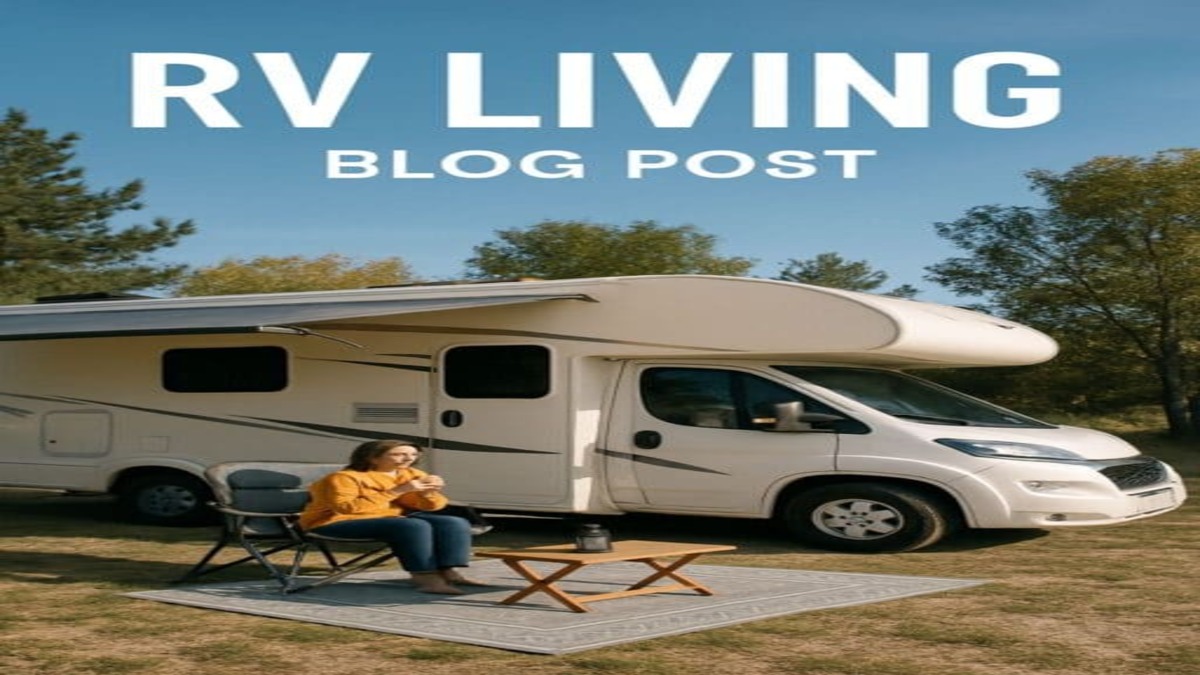
DISH TV works in an RV by using a compatible satellite antenna to receive television signals, a DISH receiver to process those signals, and a television to display the programming. With the right equipment and an active subscription, you can watch satellite television at campgrounds, RV parks, and other suitable locations without relying on campground Wi-Fi.
RV owners can choose portable antennas, roof-mounted systems, and certain specialized antennas designed for viewing while a vehicle is moving. The best setup depends on how often you travel, where you park, and how many televisions you want to use.
What Equipment Do You Need for DISH TV in an RV?
A typical RV satellite television setup requires the following equipment:
- Satellite antenna: Receives television signals from DISH satellites.
- Compatible DISH receiver: Processes the satellite signal and provides access to subscribed channels.
- Television: Displays programming through an HDMI or another supported video connection.
- Coaxial cable: Connects the satellite antenna to the receiver.
- Electrical power: Powers the receiver, television, and any antenna components that require a separate power source.
- Active DISH service: Provides access to the programming package associated with your account.
Equipment compatibility is important. Not every DISH receiver supports every portable or roof-mounted antenna, and some systems have limitations on how many televisions can watch different channels simultaneously.
How to Set Up DISH TV in an RV
For a typical portable automatic antenna paired with a compatible DISH Wally receiver, the setup process is straightforward.
- Position the antenna: Place it on a stable, level surface with a clear view of the southern sky.
- Connect the coaxial cable: Run the appropriate RG-6 coaxial cable from the antenna’s designated output to the satellite input on the receiver.
- Connect the receiver to your television: Use an HDMI cable or another connection supported by your equipment.
- Connect electrical power: Plug in the receiver and television. The Wally requires a suitable 110-volt AC power source.
- Select the television input: Choose the HDMI or other input connected to the receiver.
- Follow the on-screen setup instructions: The receiver guides you through satellite acquisition and any required setup or activation steps.
- Confirm your programming: Once the equipment acquires the signal and the receiver is authorized, you can begin watching subscribed channels.
Many portable automatic antennas receive their operating power through the coaxial connection to the compatible receiver. Other systems may have different electrical requirements.
If your RV has built-in satellite wiring, verify that the cable path supports your particular antenna. Splitters, incompatible wall plates, and other components can interfere with some portable satellite systems.
For model-specific instructions, consult DISH Outdoors Support.
Portable vs. Roof-Mounted DISH Antennas
Both portable and roof-mounted antennas can provide satellite television in an RV, but each offers different advantages.
Portable Automatic Satellite Antennas
Portable antennas are placed outside the RV and connected to a compatible receiver using coaxial cable.
Examples include DISH Tailgater, DISH Playmaker, and compatible Winegard Pathway models.
These antennas can automatically locate supported DISH satellites after they are positioned and connected correctly. You generally do not need to aim the dish manually.
The biggest advantage is placement flexibility. If your RV is parked beneath trees, you may be able to position the antenna elsewhere at the campsite where the sky is unobstructed.
However, portable antennas must remain within the cable-length and installation limits specified by the manufacturer. Do not assume that every model supports a 100-foot cable.
Roof-Mounted Automatic Satellite Antennas
Roof-mounted systems are permanently attached to the RV and eliminate the need to carry an antenna outside at every stop.
Compatible automatic rooftop systems can locate the required satellites after the RV is parked and the equipment is activated.
Some multi-satellite rooftop systems support more complex receiver configurations than basic portable dome antennas.
The main disadvantage is that the antenna cannot be moved independently of the RV. If trees, buildings, or terrain block its view of the satellites, you may need to move the vehicle to restore reception.
Roof-mounted installations also require appropriate mounting hardware, cable routing, weatherproofing, and attention to vehicle height and clearance.
Manually Aimed Satellite Dishes
Some RV owners use traditional satellite dishes mounted on tripods or other suitable supports.
These systems require manual alignment with the appropriate satellites. They may be useful for extended stays or particular multi-receiver configurations, but setup generally requires more effort.
Before choosing a manual dish, confirm the required satellite configuration and compatibility with your DISH receiver.
Can You Watch DISH TV While Your RV Is Moving?
Yes, but only with equipment specifically designed for in-motion satellite television.
Compatible in-motion antennas use automatic tracking technology to maintain reception as the vehicle changes direction.
Ordinary portable antennas and many automatic rooftop systems are designed for stationary use and should not be operated while the RV is moving.
In-motion reception can still be interrupted by trees, tunnels, buildings, mountains, and other obstructions.
In-motion television is intended for passengers. Drivers should not watch television while operating a vehicle.
Which DISH Receiver Works Best in an RV?
The DISH Wally HD Receiver is a common choice for RV satellite television because it supports a range of compatible portable antenna systems.
The Wally can be used with supported DISH Tailgater, Playmaker, and other compatible antennas. It also supports certain optional features and accessories.
For example, DISH provides optional DVR functionality using a compatible external hard drive, subject to applicable requirements and charges.
Can You Use a Hopper Receiver in an RV?
The DISH Hopper is primarily designed for whole-home television service and is not compatible with many portable dome antennas used by RV owners.
Some specialized satellite dish configurations may support certain Hopper equipment, but compatibility must be verified for the exact receiver, antenna, and account arrangement.
For most RV owners purchasing a straightforward portable satellite television system, a compatible Wally receiver is the simpler starting point.
Before buying or relocating any receiver, verify the supported equipment combinations with DISH.
Can You Use DISH Anywhere in an RV?
Yes. DISH Anywhere provides another way for eligible DISH customers to watch television while traveling, without carrying a separate satellite antenna and receiver.
DISH Anywhere is an internet-based streaming service that allows customers to access supported live channels, on-demand programming, and certain recordings through compatible devices.
Available features depend on your DISH subscription, receiver configuration, connected devices, and programming rights.
For example, some customers with compatible internet-connected Hopper receivers can access recordings from their home DVR while traveling.
Unlike traditional DISH satellite television, DISH Anywhere requires a working internet connection at your RV’s location.
You can learn more through the official DISH Anywhere website.
Does DISH TV Work in an RV Without Internet?
Yes. Traditional DISH satellite television does not require campground Wi-Fi or cellular internet to receive subscribed satellite channels.
When you use a compatible satellite antenna and receiver, television signals travel directly from DISH satellites to your equipment.
You still need an active programming subscription, electrical power, and a clear view of the required satellites.
Some optional receiver features, applications, and account-management functions may require internet access.
DISH Anywhere works differently because it streams programming over an internet connection rather than receiving television directly through an RV satellite antenna.
Can You Watch Different Channels on Two RV Televisions?
Yes, but the equipment must support independent television viewing.
Connecting two televisions to a single receiver generally means both televisions display the same channel or receiver output.
To watch different channels simultaneously, you typically need a compatible multi-receiver configuration or another supported system that provides independent tuners and outputs.
Some portable satellite antennas support only one receiver. Other models support two receivers but may limit simultaneous viewing based on satellite selection.
Before purchasing equipment, confirm:
- How many televisions you want to connect.
- Whether each television needs independent channel selection.
- How many receivers your antenna supports.
- Whether simultaneous viewing is restricted to particular satellite signals.
- Whether additional receiver charges apply.
Do not assume that adding a second receiver automatically allows unrestricted viewing of different channels.
Why Does DISH TV Lose Signal at Some Campgrounds?
Satellite television requires a relatively unobstructed signal path between your antenna and the appropriate satellites.
Several conditions can interfere with reception.
Trees and Buildings
Dense trees, buildings, and other obstructions can block the signal. Even a small obstruction in the wrong location may prevent the antenna from acquiring the satellite.
Portable antennas can be repositioned within the manufacturer’s approved cable-length limits, while rooftop antennas generally require moving the RV.
Mountains and Terrain
Steep terrain and narrow valleys can obstruct the view toward the satellites.
A portable antenna may help if a suitable open location is available, but neither portable nor rooftop equipment can receive signals through solid terrain.
Heavy Rain and Severe Weather
Heavy rain and severe weather can temporarily weaken satellite television reception. This effect is commonly called rain fade.
Reception generally returns when conditions improve, assuming the antenna remains correctly aligned and the equipment is functioning properly.
Equipment or Cable Problems
Damaged coaxial cables, loose connections, incompatible components, or inadequate power can also prevent reception.
Check your receiver’s on-screen error messages and follow the troubleshooting instructions for your specific antenna and receiver models.
How to Troubleshoot DISH TV in Your RV
If your RV television displays a satellite signal error, begin with these basic checks:
- Check the sky view: Make sure trees, buildings, or other objects are not blocking the required satellite direction.
- Inspect the coaxial cable: Confirm the connections are secure and the cable is not visibly damaged.
- Verify receiver power: Make sure the receiver is connected to an appropriate power source.
- Check the television input: Confirm the television is using the HDMI or other input connected to your receiver.
- Review receiver messages: Follow the on-screen instructions for satellite acquisition or signal errors.
- Confirm equipment compatibility: Verify that your antenna and receiver are approved to work together.
- Check account status: Make sure your programming subscription is active and the receiver is authorized.
If these steps do not resolve the problem, consult the manufacturer’s troubleshooting guide or contact DISH support.
Avoid climbing onto an RV roof or attempting electrical repairs without appropriate training and safety equipment.
How Much Does DISH TV Cost for an RV?
The cost of DISH TV for an RV depends on the equipment you select and how you subscribe to television programming.
There are two common approaches.
Adding an RV Receiver to an Existing DISH Account
Customers with qualifying residential DISH service may be able to add a compatible outdoor receiver to their existing account.
DISH advertises certain outdoor receiver options starting at $5 per month for eligible existing customers, but current charges, equipment costs, and account requirements should be confirmed directly.
This option may be convenient for households that already pay for DISH television at home.
Using DISH Outdoors Pay As You Go
Customers who do not have residential DISH service can explore standalone DISH Outdoors Pay As You Go programming.
This option is designed for customers who want satellite television during specific travel periods without maintaining a traditional long-term residential programming agreement.
Programming is generally purchased in approximately 30-day increments, and customers typically purchase compatible outdoor equipment separately.
Our guide, What Is DISH Outdoors?, explains the service model, equipment options, and seasonal programming flexibility in greater detail.
Before subscribing, compare the equipment purchase price, programming charges, receiver fees, and any installation expenses.
Which DISH TV Setup Is Best for Your RV?
The right equipment depends on where you camp and how you use your RV.
For Frequent Campground Travelers
A portable automatic antenna paired with a compatible Wally receiver can be a practical choice for travelers who frequently change locations.
Portable equipment provides flexibility when trees or other obstructions make a particular parking location unsuitable for satellite reception.
For Motorhome Owners Who Prefer Permanent Equipment
A compatible roof-mounted automatic antenna may be more convenient for owners who want a permanently installed system.
Once properly installed, the system eliminates the need to place a portable antenna outside each time you park.
For Travelers Who Want TV While Moving
A specialized in-motion satellite antenna may be appropriate when passengers need television access while the motorhome is traveling.
Verify antenna compatibility, installation requirements, and signal limitations before purchasing.
For RV Owners with Reliable Internet
Eligible DISH subscribers who regularly stay at campgrounds with dependable internet access may prefer DISH Anywhere instead of purchasing a separate satellite system.
However, streaming performance depends on the available internet connection and the features supported by your account.
Frequently Asked Questions
Can I Use My Home DISH Account in My RV?
Qualifying residential DISH customers may be able to add a compatible outdoor receiver to their existing account. Moving an existing receiver between locations may also be possible with supported equipment and account authorization. Confirm the specific arrangement with DISH before purchasing or relocating equipment.
Does DISH TV Work in an RV Without Wi-Fi?
Yes. A traditional DISH satellite antenna and receiver can receive subscribed television channels without campground Wi-Fi. Internet access may still be required for optional connected features and applications.
Can I Use a Portable DISH Antenna Under Trees?
The antenna still needs an unobstructed view of the required satellites. A portable model can be moved away from trees when a suitable location is available within the approved cable-length limits.
Do I Need a Special Receiver for RV Satellite TV?
You need a receiver compatible with your selected satellite antenna. The DISH Wally is commonly used with supported RV antenna systems, but compatibility should be checked by model.
Can I Watch DISH TV While Driving?
Some specialized in-motion satellite antennas support television viewing while a vehicle is moving. Standard portable antennas and many roof-mounted systems are designed for stationary use.
Can Two RV Televisions Watch Different DISH Channels?
Yes, with an appropriate receiver and antenna configuration. Some systems have restrictions on simultaneous channel selection, so verify the capabilities of the equipment before purchasing.
Is DISH Outdoors Required to Watch DISH TV in an RV?
Not necessarily. Eligible residential DISH customers may be able to add an outdoor receiver to their existing account. Customers without residential service can explore standalone DISH Outdoors programming.
Final Answer: How Does DISH TV Work in an RV?
DISH TV works in an RV by receiving satellite television signals through a compatible antenna and receiver. Once the equipment is connected, activated, and positioned with a clear view of the satellites, you can watch subscribed programming on your RV television.
Portable antennas offer placement flexibility, roof-mounted systems provide convenience, and specialized in-motion equipment can support passenger viewing while traveling.
For most RV owners, the important first step is choosing compatible equipment that matches their travel habits and television requirements.
If you’re considering a professional DISH TV installation, contact Spacelink Installs to discuss your equipment and location.
Spacelink Installs provides professional installation for Viasat, Starlink, Amazon Leo, and DISH TV in select service areas. All service and installation availability is subject to address qualification.