 Skip to content
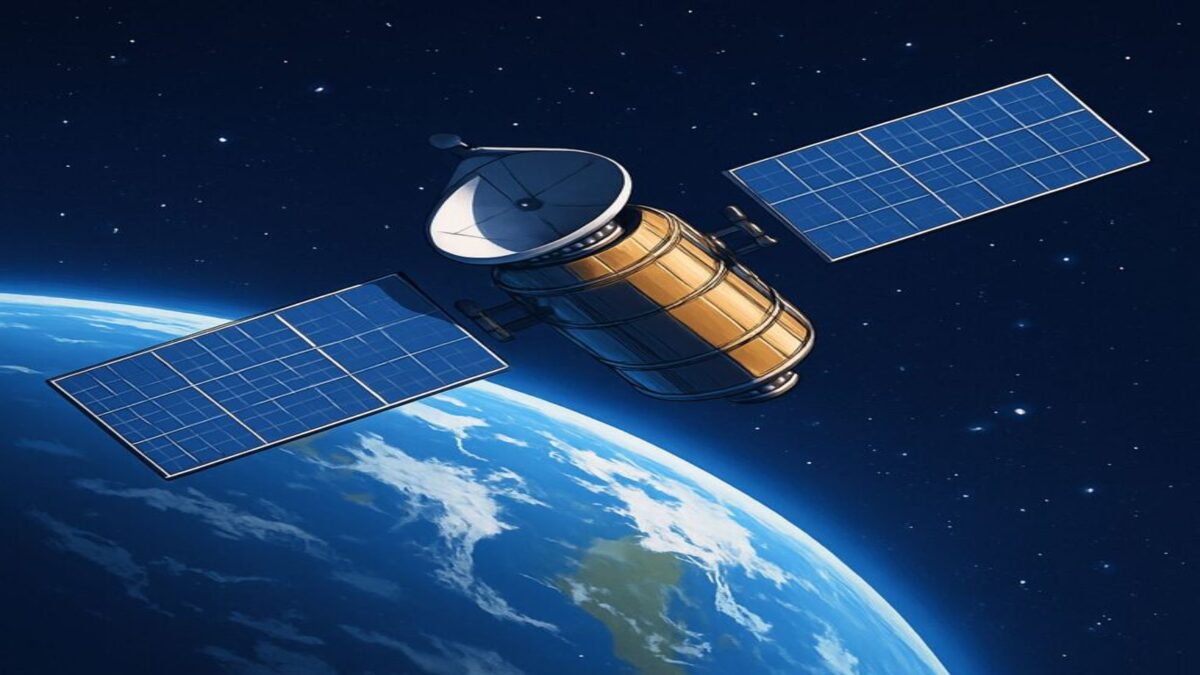
If you already have Starlink internet, adding DISH TV may be worthwhile if you want traditional live television, specific sports channels, or a television service that does not depend on your internet connection. However, if Starlink already supports your streaming needs, a separate DISH subscription may add unnecessary monthly expense.
The best choice depends on which channels you watch, how much television you stream, your monthly budget, and whether you want an alternative viewing method when internet service is unavailable.
Here’s how to decide whether DISH adds enough value to justify maintaining both services.
Do You Need DISH TV If You Already Have Starlink?
No. Starlink provides broadband internet that can support compatible streaming services, including on-demand movies, television shows, and live TV platforms.
If your Starlink connection performs reliably and your preferred programming is available through streaming subscriptions, you may not need a separate satellite television service.
However, DISH can provide benefits that streaming alone may not offer in the same way.
These include:
- Traditional satellite television channels.
- A familiar television program guide.
- Compatible DVR recording options.
- Access to eligible local broadcast channels.
- Selected live sports and entertainment networks.
- Television reception that does not require Starlink internet.
Whether these advantages justify the additional expense depends on your household’s viewing habits.
What’s the Difference Between Starlink and DISH TV?
Starlink and DISH provide different services.
Starlink Internet
Starlink uses a network of low-Earth-orbit satellites to provide broadband internet.
With a suitable connection, customers can stream television through compatible applications and subscription services.
Examples include Netflix, Hulu, YouTube TV, and other internet-based entertainment platforms.
However, Starlink internet service does not automatically include paid streaming television subscriptions.
DISH Satellite Television
DISH provides traditional television programming through a separate satellite television system.
A compatible DISH receiver and satellite antenna deliver channels included with the customer’s programming package.
Watching traditional DISH satellite channels does not require Starlink or another home internet connection.
However, DISH and Starlink each require compatible equipment, electrical power, and appropriate satellite reception conditions.
Can You Stream Live TV Using Starlink Instead of DISH?
Yes. Starlink can provide the internet connection needed for live television streaming services when adequate bandwidth and network performance are available.
Depending on your subscriptions, you may be able to watch:
- Local broadcast channels through eligible live TV services.
- National news and entertainment networks.
- Selected professional and college sports.
- On-demand movies and television series.
- Streaming-exclusive programming.
However, channel availability depends on the streaming service, subscription package, location, and programming rights.
Some live TV services also have household-location and travel restrictions.
Before canceling or replacing traditional television, confirm that your preferred channels and programs are available through your chosen streaming subscriptions.
When Does Adding DISH to Starlink Make Sense?
Maintaining both services may be useful for households with particular entertainment or reliability needs.
You Prefer Traditional Live Television
Some customers prefer turning on the television, opening a familiar channel guide, and selecting a program without navigating multiple streaming applications.
DISH provides this traditional television experience through compatible satellite receivers.
You Want Specific Sports Channels
DISH offers sports networks through qualifying programming packages.
However, no standard DISH package provides access to every professional or college sporting event.
Some games require separate streaming services, while others are available through local broadcast networks or specialty sports packages.
You Want Television That Does Not Depend on Starlink
Traditional DISH satellite programming can continue operating during certain Starlink internet outages, provided the DISH equipment has electrical power and adequate satellite reception.
This gives the household a separate television delivery method.
However, it is not a guarantee of uninterrupted television during severe weather or electrical outages.
You Already Have DISH Equipment
Customers who already own compatible DISH equipment or maintain an active DISH subscription may find it easier to continue using the service alongside Starlink.
However, existing customers should review their current monthly charges and contract terms before deciding whether maintaining both subscriptions makes financial sense.
When Is Streaming Over Starlink the Better Choice?
Streaming may be the better value when Starlink already provides a reliable internet connection and your household primarily watches on-demand entertainment.
It may be especially attractive if:
- You rarely watch traditional live television.
- Your favorite programs are available through existing streaming subscriptions.
- You do not need a separate satellite television system.
- You want to avoid additional equipment and installation expenses.
- You prefer watching on smartphones, tablets, computers, or smart televisions.
However, streaming still depends on your Starlink connection and the terms of your entertainment subscriptions.
Does DISH TV Use Your Starlink Internet Data?
Traditional DISH satellite television does not use your Starlink internet connection to deliver subscribed satellite channels.
DISH receives those channels through its own satellite antenna and receiver.
This means watching traditional DISH television does not consume Starlink bandwidth in the same way that streaming Netflix or YouTube TV does.
However, certain DISH features use internet connectivity.
Examples may include supported on-demand services, internet-connected receiver applications, and DISH Anywhere streaming.
Those features can consume Starlink data when Starlink provides the internet connection.
Can DISH TV Work When Starlink Internet Is Down?
Yes, in some circumstances.
If Starlink experiences an internet service interruption, traditional DISH satellite television may continue working because it uses a separate television delivery system.
However, DISH must still have adequate satellite reception and electrical power.
Severe storms can affect both services, and a household power outage can disable both systems unless suitable backup power is available.
For more information about satellite television reliability, read Does DISH TV Work in Bad Weather?
Is DISH Better Than Streaming for Watching NFL Games?
It depends on which NFL games you want to watch.
DISH offers access to selected NFL games through qualifying local broadcast channels, ESPN, and NFL Network.
Eligible customers may also add NFL RedZone through the appropriate sports package.
However, some NFL games require separate streaming subscriptions, and NFL Sunday Ticket is not included with DISH satellite television.
Starlink can provide internet access for compatible streaming services, including those carrying games unavailable through DISH.
For a detailed explanation, read Can I Watch NFL Games on DISH TV?
What About College Football?
DISH provides access to several important college football networks through qualifying packages.
These include ESPN-family channels, SEC Network, Big Ten Network, ACC Network, and other eligible sports channels.
However, conference-specific games may also appear on separate streaming services.
Starlink can provide the internet connection needed to access those services when sufficient bandwidth is available.
For more information, see:
Can You Use DISH Anywhere with Starlink?
Yes. Starlink can provide internet connectivity for DISH Anywhere on compatible devices.
DISH Anywhere allows eligible DISH customers to stream supported television programming and access certain receiver features remotely.
However, DISH Anywhere is not included simply because you subscribe to Starlink.
You need an eligible DISH subscription, and available features depend on your receiver, device, and programming rights.
For additional guidance, read What Is DISH Anywhere and How Does It Work?
How Much Does It Cost to Have Both Starlink and DISH TV?
Maintaining Starlink internet and DISH satellite television generally means paying for two separate services.
The total cost depends on your Starlink plan, DISH programming package, equipment, optional services, and installation requirements.
Before adding DISH, compare these expenses:
- Starlink internet: Your existing monthly broadband service charge.
- DISH programming: The monthly price of the selected television package.
- DISH equipment: Applicable receiver, DVR, and other equipment charges.
- Installation: Any charges associated with installing the satellite television system.
- Optional sports programming: Additional channel packages or specialty sports services.
- Streaming subscriptions: Services you may continue paying for alongside DISH.
The most important comparison is the total additional cost of DISH versus the cost of the streaming subscriptions you would otherwise maintain.
For example, if you already pay for Starlink and only need one or two streaming services, adding a full DISH subscription may not be economical.
However, if you subscribe to several live television and entertainment services, a qualifying DISH package may provide a useful alternative.
Always compare current offers rather than relying on outdated promotional prices.
Is DISH TV Cheaper Than Streaming Over Starlink?
Not necessarily. The better value depends on the channels and services your household actually uses.
Streaming may cost less if you primarily watch on-demand entertainment and already have a reliable Starlink connection.
However, live television streaming packages can cost more than basic on-demand subscriptions, especially when premium sports programming is added.
DISH may provide better value for certain households that want a broad traditional channel lineup.
Before deciding, compare:
- The total monthly price of your current streaming subscriptions.
- The complete monthly cost of the DISH package you would need.
- Whether DISH includes your preferred local and sports channels.
- Whether separate streaming services would still be necessary.
- Equipment and installation costs.
- Contract and cancellation requirements.
Do not assume that adding DISH automatically reduces your entertainment expenses.
Will Streaming Television Slow Down Starlink?
Streaming uses bandwidth from your Starlink internet connection.
If several household members stream HD or 4K video simultaneously, those activities can compete with other internet usage.
For example, streaming may affect available bandwidth for:
- Video conferencing.
- Online gaming.
- Large file downloads.
- Cloud backups.
- Other connected household devices.
However, streaming does not automatically cause noticeable slowdowns when sufficient bandwidth is available.
Performance depends on your Starlink plan, network conditions, router, and the number of connected devices.
Traditional DISH satellite television does not use Starlink bandwidth to deliver subscribed satellite channels.
How Much Starlink Data Does TV Streaming Use?
Streaming data consumption depends on video resolution, service settings, and viewing duration.
For illustration, Netflix provides approximate maximum usage estimates of:
- Standard definition: Up to 1 GB per hour.
- High definition: Up to 3 GB per hour.
- 4K Ultra HD: Up to 7 GB per hour.
Actual usage varies by streaming platform and playback settings.
For example, watching three hours of HD television each day at 3 GB per hour would consume approximately 270 GB over 30 days.
Starlink plans have their own data policies and network management conditions, which should be reviewed under the customer’s current agreement.
Adding DISH may reduce the amount of internet data used for traditional television viewing, but it does not change the terms of your Starlink internet plan.
Do Starlink and DISH Need Separate Satellite Dishes?
Yes. Starlink internet and traditional DISH satellite television use different satellite systems and equipment.
Starlink uses a compatible broadband terminal to communicate with low-Earth-orbit satellites.
DISH television uses a compatible satellite TV antenna and receiver to obtain subscribed television programming.
The two services cannot normally share a single satellite antenna.
If you maintain both services, you will generally need:
- A Starlink internet terminal and its associated equipment.
- A compatible DISH satellite television antenna.
- A DISH receiver.
- Appropriate mounting locations.
- Separate service subscriptions.
Both systems require suitable satellite visibility, but their antenna placement requirements are not identical.
Can You Install Starlink and DISH on the Same Property?
Yes, provided the property has suitable installation locations and qualifies for both services.
However, the equipment should be installed according to each manufacturer’s requirements.
Starlink generally requires a broad unobstructed view of the sky to communicate with passing low-Earth-orbit satellites.
DISH television requires an appropriate view of the geostationary satellites used for its programming.
These different requirements mean the best mounting location for Starlink may not be the best location for DISH.
Before installation, evaluate:
- Tree coverage and other obstructions.
- Roof and mounting conditions.
- Equipment accessibility.
- Cable routing.
- Electrical and grounding requirements.
- Manufacturer installation instructions.
Professional installation may be useful when mounting locations are difficult to access or additional cabling is necessary.
Can You Combine Starlink and DISH on One Bill?
Do not assume that subscribing to both services automatically creates a combined billing arrangement.
Starlink internet and DISH television are separate services with their own equipment, account terms, and support arrangements.
Any retailer or provider offer that combines them should be reviewed individually.
Before accepting a combined offer, confirm:
- Which company provides each service.
- Who bills for internet and television.
- Whether any actual discount applies.
- Who handles equipment warranties and technical support.
- Whether cancellation of one service affects the other.
- Whether installation is included or separately charged.
Do not assume that combined billing means a single company provides technical support for both services.
Does Having Both Starlink and DISH Provide Better Reliability?
Having separate internet and television systems may provide additional viewing flexibility during certain service interruptions.
For example, if Starlink experiences an internet outage, DISH satellite television may continue operating independently.
However, both systems can be affected by severe weather, physical obstructions, equipment problems, and electrical outages.
Maintaining both services does not guarantee uninterrupted entertainment.
If backup viewing is an important priority, consider how each system behaves during the types of outages most likely to affect your property.
Who Should Consider Adding DISH to Starlink?
Adding DISH may make sense for households that:
- Prefer traditional live television.
- Want specific channels included in qualifying DISH packages.
- Watch substantial amounts of live sports.
- Want television reception independent of their internet connection.
- Already have compatible DISH equipment.
- Value DVR features available through compatible DISH receivers.
However, the additional subscription cost should be justified by the programming and features your household will actually use.
Who Should Stay with Starlink and Streaming?
Streaming over Starlink may be the better choice for households that:
- Primarily watch on-demand entertainment.
- Already have reliable Starlink performance.
- Do not need traditional satellite television channels.
- Want to avoid installing another satellite antenna.
- Prefer flexible streaming subscriptions.
- Are satisfied with their existing sports and local television access.
If streaming already meets your needs, there may be little reason to add another monthly television bill.
Frequently Asked Questions
Should I Get DISH TV If I Already Have Starlink?
It depends on your viewing habits. DISH may be worthwhile if you want traditional live television, specific sports channels, or television reception that does not depend on Starlink internet. Otherwise, streaming may be sufficient.
Can Starlink Replace DISH TV?
Starlink can provide internet access for compatible television streaming services, but it does not automatically include the same channels or programming as DISH.
Does DISH TV Slow Down Starlink Internet?
Traditional DISH satellite television does not use Starlink internet bandwidth to deliver subscribed satellite channels. However, DISH Anywhere and other internet-connected features can use Starlink data.
Can I Watch DISH TV Without Starlink Internet?
Yes. Traditional DISH satellite television operates independently of Starlink when compatible equipment has electrical power and adequate satellite reception.
Can I Watch DISH Anywhere Using Starlink?
Yes. Starlink can provide internet connectivity for DISH Anywhere on compatible devices. An eligible DISH subscription and applicable receiver or streaming permissions are still required.
Do Starlink and DISH Use the Same Satellite Dish?
No. Starlink internet and DISH satellite television use different equipment and satellite networks. Separate compatible antennas are normally required.
Is DISH Better Than Streaming for Sports?
It depends on the sports and teams you follow. DISH provides selected sports networks through qualifying packages, while some games require separate streaming services.
Can I Keep Starlink and Add DISH Later?
Yes, if DISH service and a suitable installation are available at your address. You do not need to cancel Starlink simply to subscribe to DISH television.
Will DISH Work During a Starlink Outage?
It may. Traditional DISH satellite television operates independently of Starlink internet, but still requires electrical power and adequate satellite reception.
Is It Cheaper to Have Starlink and DISH Together?
Not necessarily. Maintaining both services adds costs unless an eligible offer provides savings or replaces other entertainment subscriptions. Compare the complete monthly expenses before ordering.
Final Recommendation: Should You Get DISH TV If You Already Have Starlink?
If Starlink already provides reliable internet and your preferred streaming services cover everything you watch, you probably do not need DISH TV.
However, DISH may be a worthwhile addition if you want traditional live television, particular sports channels, compatible DVR features, or a television system that does not depend on Starlink internet.
The best decision comes from comparing the additional DISH subscription and equipment costs against the programming and flexibility your household would gain.
Before ordering, verify the DISH packages, local channels, installation requirements, and total costs available at your address.
If you’re exploring DISH TV or Starlink installation options, contact Spacelink Installs.
Spacelink Installs provides professional installation for Viasat, Starlink, Amazon Leo, and DISH TV in select service areas. All service and installation availability is subject to address qualification.