 Skip to content
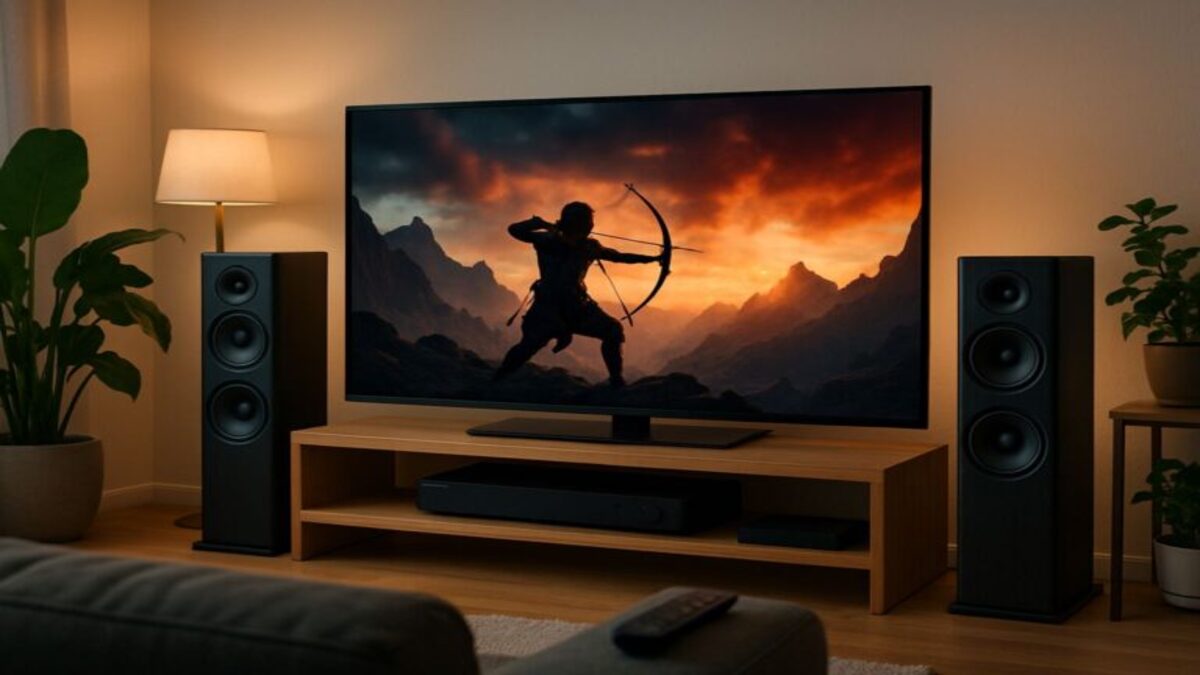
The DISH Hopper is a satellite TV receiver and digital video recorder (DVR) that lets you watch, pause, rewind, and record television programs. Depending on the Hopper model, you can record multiple programs simultaneously and share live or recorded TV with other televisions through compatible Joey receivers.
The Hopper is designed to make watching television across a household more convenient. Instead of requiring a separate DVR for every room, the main Hopper stores recordings and works with smaller companion receivers.
There are several Hopper models with different recording capacities and features. Understanding those differences can help you choose the right DISH TV equipment for your home.
What Does the DISH Hopper Do?
The Hopper combines a satellite TV receiver, DVR, electronic programming guide, and compatible entertainment features in one system.
Its primary functions include:
- Watching live satellite TV: Access channels included in your DISH programming package.
- Recording television: Schedule programs and save recordings to the receiver’s internal storage.
- Pausing and rewinding live TV: Use DVR controls during supported live programming.
- Recording multiple programs: Record different channels simultaneously, subject to the receiver’s tuner capacity.
- Whole-home viewing: Share live television and recordings with compatible Joey receivers in additional rooms.
- Streaming and On Demand: Access supported internet-based entertainment features when the receiver is connected to broadband.
The Hopper is not an internet service provider or a replacement for a home broadband connection. Its primary purpose is receiving and recording DISH television programming.
How Does the DISH Hopper Work?
A DISH satellite dish receives television signals and sends them through the installed receiver system. The Hopper processes those signals so you can watch live programming and record shows.
Inside the Hopper, tuners allow the receiver to access different television channels. A DVR hard drive stores recorded programs for later viewing.
When you schedule a recording, the Hopper uses an available tuner to receive the program and saves it to the DVR. You can then find the recording through the receiver’s menus.
Compatible Joey receivers allow additional televisions to access the Hopper system without requiring a separate DVR hard drive in each room.
What Is a Tuner?
A tuner allows the receiver to access a television channel. The number of tuners determines how many different live channels the system can receive or record simultaneously.
For example, a two-tuner Hopper Duo can receive two live programs at the same time. A Hopper 3 has 16 tuners, giving it substantially more simultaneous recording capacity.
Actual viewing options also depend on the receiver configuration, connected televisions, and any recording restrictions.
What Are the Different DISH Hopper Models?
DISH has offered several Hopper receivers. The most important distinction is between the higher-capacity Hopper 3, the smaller Hopper Duo, and earlier Hopper systems.
Hopper 3
The DISH Hopper 3 is the company’s high-capacity DVR receiver.
- 16 tuners for recording up to 16 programs simultaneously.
- 2 TB of internal DVR storage.
- Up to 500 hours of HD recordings or 2,000 hours of standard-definition recordings, depending on content.
- Support for compatible 4K programming and equipment.
- Compatible Joey receivers for additional televisions.
- Supported streaming applications and On Demand features with internet connectivity.
- Bluetooth connectivity and compatible voice-remote features.
Hopper 3 is particularly useful for households with several televisions or people who regularly record overlapping programs.
DISH states that Hopper 3 can support up to seven televisions in a compatible configuration. The exact equipment arrangement should be confirmed when ordering.
Hopper Duo
The Hopper Duo is designed for smaller households using one or two televisions.
- Two tuners for watching or recording two live programs simultaneously.
- 500 GB of internal DVR storage.
- Up to 125 hours of HD recordings or 500 hours of standard-definition recordings.
- Support for a second television through a compatible Joey.
- On Demand and supported internet-connected entertainment features.
- Bluetooth audio support with an appropriate adapter.
If both tuners are recording, you can still watch a previously recorded program without using another live tuner.
Hopper Duo does not have the recording capacity or whole-home expansion capabilities of Hopper 3. It can nevertheless be a practical option for households with simpler viewing needs.
Earlier Hopper Receivers
Earlier Hopper models, including Hopper with Sling, remain relevant for customers who already own or lease them.
These systems have different tuner capacities, equipment compatibility, and streaming features. Some older Hopper systems can work with a Super Joey to expand simultaneous recording capability.
Do not assume that an accessory compatible with one Hopper generation will work with another. DISH’s official receiver directory provides model-specific information.
What Is a DISH Joey?
A Joey is a companion receiver that extends a compatible Hopper system to another television.
Rather than storing a separate collection of DVR recordings, the Joey accesses programming and recordings through the main Hopper system.
This allows family members to watch supported programming in different rooms while sharing one central DVR library.
DISH offers several Joey configurations, including wired, wireless, and 4K-capable models. Compatibility varies by Hopper generation.
See DISH’s official Joey receiver guide for current equipment descriptions.
Wired Joey
A wired Joey uses compatible coaxial connections to communicate with the Hopper system. It can be useful when the home already has suitable cabling.
Wireless Joey
A Wireless Joey uses a compatible wireless connection to communicate with the Hopper system, reducing the need for a coaxial cable to the additional television.
Wireless Joey installation requires the appropriate DISH equipment and a suitable wireless connection. It should not be assumed to work through any ordinary home Wi-Fi router without the required configuration.
4K Joey
A compatible 4K Joey allows supported 4K content to be viewed on an appropriate television when paired with a supported Hopper system.
4K availability depends on the receiver, programming, television, and other applicable requirements.
How Many TVs Can a Hopper Support?
The number of supported televisions depends on the Hopper model and compatible Joey equipment.
- Hopper Duo: Designed for one or two televisions.
- Hopper 3: Can support up to seven televisions in a compatible configuration.
- Earlier Hopper systems: Television capacity depends on the model and connected receivers.
More televisions do not automatically mean more independent tuners. Each Hopper system has its own limitations on simultaneous live viewing and recording.
Before ordering equipment, count the televisions you want connected and consider how many different programs household members may want to watch or record at the same time.
Does the DISH Hopper Need Internet?
The Hopper does not generally require a separate broadband internet subscription for basic satellite television reception and local DVR recording. However, many additional entertainment features require an internet connection.
Internet-connected features can include:
- Supported streaming applications such as Netflix.
- Selected On Demand programming.
- Internet-delivered channels and content.
- Remote viewing through supported DISH Anywhere equipment.
- Certain voice-remote and connected entertainment features.
Feature availability depends on the Hopper model, software, subscriptions, and internet connection.
This distinction is particularly important for rural households. You may be able to receive satellite television where broadband service is limited, but streaming applications still require suitable internet connectivity.
For additional information, see Is Viasat Good for Streaming TV? and Can I Watch Netflix on Viasat?
Can You Watch Netflix on the DISH Hopper?
Yes. Netflix is supported on several Hopper models, including Hopper 3 and Hopper Duo.
To use Netflix, you need compatible DISH equipment, an active Netflix subscription, and an adequate internet connection.
Netflix content is streamed over your internet connection rather than delivered through the satellite television signal.
DISH provides model-specific instructions through its Netflix support resources.
If you are choosing internet service to complement DISH TV, compare address-qualified broadband options rather than assuming a satellite TV subscription includes home internet.
Our guides to Viasat internet, Starlink vs. Hughesnet, and Starlink vs. T-Mobile Home Internet explain some of the tradeoffs between available connection types.
How Do You Record Shows With the DISH Hopper?
Recording television with the Hopper is designed to be straightforward. You can schedule recordings through the on-screen program guide and manage saved programs through the DVR menu.
To record a program:
- Open the DISH programming guide.
- Find the show or event you want to record.
- Select the program and choose the available recording option.
- Confirm whether you want to record a single episode or schedule a recurring recording, when supported.
- Access the DVR menu to watch, manage, or delete recordings.
The Hopper can also pause and rewind supported live television. Recording availability depends on the receiver’s tuner capacity, available storage, and programming restrictions.
Can the Hopper Record Multiple Shows at Once?
Yes. The number of simultaneous recordings depends on the receiver.
Hopper Duo has two tuners, while Hopper 3 has 16 tuners and can record up to 16 different programs simultaneously.
If all available tuners are occupied, you may need to cancel a scheduled recording or watch previously recorded programming instead of selecting another live channel.
How Long Can You Keep Hopper Recordings?
Recordings are generally stored on the Hopper’s internal hard drive until they are deleted, automatically removed to free storage when applicable, or affected by equipment or account changes.
The amount of programming you can save depends on the model, recording format, and available storage.
Hopper 3 has a 2 TB hard drive, while Hopper Duo has a 500 GB hard drive. Actual recording capacity depends on the content.
Recordings should not be treated as permanently portable files. Receiver replacement, equipment failure, service cancellation, and content restrictions may affect access to saved programs.
What Is DISH Anywhere?
DISH Anywhere is a service that allows eligible DISH customers to access supported live television and On Demand programming through compatible internet-connected devices.
With compatible Hopper equipment, customers may also be able to access their DVR recordings remotely.
Remote DVR access depends on the receiver model, account eligibility, internet connectivity, and applicable content restrictions.
DISH Anywhere is different from using a Joey inside the home. A Joey extends the Hopper system to another television, while DISH Anywhere provides supported viewing features through compatible devices and internet connections.
Not every channel, recording, or feature is available on every device or from every location.
How Much Does a DISH Hopper Cost?
The cost of a Hopper system depends on the television package, receiver model, number of connected televisions, promotional eligibility, and applicable equipment and service fees.
DISH’s published residential fee schedule lists a $15 monthly DVR service fee for Hopper and certain ViP DVR systems. Additional Joey receiver fees can apply, including a published $7 monthly fee for certain Joey configurations.
Other receiver, equipment, installation, or service charges may apply. Promotional offers may change the amount a qualifying customer pays.
Before ordering, request a complete explanation of:
- The monthly television programming charge.
- The Hopper DVR service fee.
- Additional receiver or Joey charges.
- Any equipment upgrade or installation charges.
- Applicable promotional discounts and expiration dates.
- Service commitments and cancellation obligations.
Review DISH’s Residential Customer Agreement and the written offer provided for your account.
Do not assume that every Hopper or Joey is free simply because an advertisement includes equipment with a qualifying television package.
What Is the Difference Between a Hopper and a Wally?
The DISH Wally is a separate satellite TV receiver rather than a member of the Hopper DVR family.
The Hopper is designed around integrated DVR functionality and, on compatible models, whole-home television distribution through Joey receivers.
The Wally is a simpler receiver commonly considered for single-television installations, RVs, and other compatible satellite TV arrangements.
Some Wally configurations can support DVR functionality when used with compatible external storage and applicable activation requirements. Features, equipment compatibility, and fees should be confirmed for the specific setup.
The Wally should not be assumed to share Hopper DVR recordings or support the same whole-home features.
For households with multiple televisions and extensive recording needs, a Hopper system may be more appropriate. For a single television or a compatible mobile installation, the Wally may be worth comparing.
Can You Upgrade an Older DISH Receiver to a Hopper?
Customers using older DISH receivers, including ViP 722 and 722k models, may be able to upgrade to compatible Hopper equipment.
Upgrade eligibility depends on the account, programming package, equipment availability, installation requirements, and current DISH policies.
An older receiver should not automatically be considered unsupported simply because newer equipment exists. Likewise, DISH should not be assumed to guarantee replacement with an identical older model if that equipment fails.
Before changing equipment, ask DISH about:
- Available Hopper models for the account.
- Monthly DVR and receiver fees.
- Installation or upgrade charges.
- Compatibility with existing televisions and wiring.
- What happens to recordings stored on the old receiver.
- Any changes to the service agreement.
Recordings from older receivers may not transfer to the replacement system. Confirm recording compatibility before disconnecting existing equipment.
What Does Hopper Installation Involve?
A Hopper installation generally involves connecting the receiver to a compatible DISH satellite television system, connecting it to the television, and configuring the necessary equipment.
For a multiroom setup, the installer must also connect and configure compatible Joey receivers.
The installation may involve:
- Checking the satellite dish and receiver compatibility.
- Connecting the Hopper to the television.
- Configuring the satellite signal and receiver settings.
- Connecting compatible Joey receivers.
- Setting up supported internet-connected features.
- Confirming that live television and DVR functions operate correctly.
Installation requirements differ between a new DISH system, a receiver upgrade, and an existing home with multiple televisions.
Some configurations require suitable coaxial wiring, while compatible Wireless Joey installations use additional wireless equipment.
Do not assume that ordinary home Wi-Fi replaces all DISH receiver connections or that a broadband internet subscription is required for basic satellite television.
How Do You Choose the Right Hopper Setup?
The best Hopper configuration depends on the number of televisions, how many programs your household records, and whether you want internet-connected entertainment features.
Hopper Duo may be suitable when:
- You have one or two televisions.
- You rarely need more than two simultaneous live programs.
- You want basic DVR functionality without the higher recording capacity of Hopper 3.
Hopper 3 may be suitable when:
- Several people regularly watch different television programs.
- You want to record numerous overlapping shows or sporting events.
- You need greater DVR storage capacity.
- You want a compatible multiroom television setup.
For internet-connected Hopper features, compare the broadband services available at your address.
Rural households can review Viasat fixed wireless availability and Viasat satellite availability in rural areas as separate possibilities. Availability for either service must be checked individually.
Frequently Asked Questions About the DISH Hopper
Is the DISH Hopper a DVR?
Yes. The Hopper is a satellite television receiver with built-in DVR functionality. It allows customers to record, pause, rewind, and manage supported television programming.
How Many Shows Can Hopper 3 Record at Once?
Hopper 3 has 16 tuners and can record up to 16 different programs simultaneously, subject to programming and equipment limitations.
Can Hopper Duo Work Without a Joey?
Yes. Hopper Duo can serve one television without a Joey. A compatible Joey can extend the system to a second television.
Does the Hopper Work Without Internet?
Basic satellite television reception and local DVR functions generally do not require a separate broadband internet subscription. Streaming applications, internet-delivered On Demand content, and supported remote-viewing features require internet connectivity.
Can I Watch Netflix Through the Hopper?
Netflix is available on supported Hopper models. A compatible receiver, Netflix subscription, and adequate internet connection are required.
Can I Watch Hopper Recordings on My Phone?
Eligible customers with compatible Hopper equipment may be able to access DVR recordings through DISH Anywhere. Receiver compatibility, account requirements, internet connectivity, and content restrictions apply.
Do I Need a Joey for Every Television?
Additional televisions generally require compatible receiver equipment to access the Hopper system. The exact arrangement depends on the Hopper model and the number of televisions.
Can I Transfer Recordings From an Old DISH Receiver?
Recording transfer compatibility varies by receiver and storage configuration. Customers should confirm whether recordings can be preserved before upgrading or replacing equipment.
The Bottom Line: What Is the DISH Hopper and How Does It Work?
The DISH Hopper is a satellite TV receiver and DVR that combines live television, recording, and compatible whole-home entertainment features. Hopper 3 offers extensive recording capacity for larger households, while Hopper Duo provides a simpler solution for one or two televisions.
Compatible Joey receivers extend television access to additional rooms, while supported internet-connected features provide streaming and remote-viewing options.
The right setup depends on how many televisions you use, how much recording capacity you need, and whether your household wants additional entertainment features.
For information about supported DISH TV equipment and installation options, contact High Speed Internet Now or call (844) WiFi-Man, (844) 943-4626.
Spacelink Installs provides professional installation for Viasat, Starlink, Amazon Leo, and DISH TV in select service areas. Equipment, television service, and installation availability must be confirmed for your address.